
Create and manage your digital menu
Create a digital QR menu for your restaurant or bar.
A unique platform that changes the way you work!
Take online orders wherever customers find you
Your menu is not only for the tables. Put its link wherever you are online: Instagram, TikTok, Facebook, YouTube, WhatsApp, Google Maps or your own website. Customers order from their phone, choose when they will pick it up, and it is ready when they arrive. No queues, no phone calls.
- 1Share the linkIn your Instagram and TikTok bio, on Facebook, YouTube, WhatsApp, Google Maps, your website or anywhere else.
- 2The customer ordersDine-in, takeaway or delivery, plus the time they will pick it up.
- 3You prepare itThe order lands in Live orders with a sound alert. Accept it and have it ready on time.
Takeaway, no waiting
Customers order on the way and pick it up ready at the time they chose.
Business centres and offices
People working nearby order lunch online and pick it up on their break, without queuing.
Delivery
Take orders with the customer's address and deliver them yourself, at your own delivery price.
At the table with QR
In your venue guests scan the code, order from their phone or call the waiter with one tap.
The most complete platform for digital QR menus
Some platforms let you create a QR code but not a menu. Others let you create a menu but not manage and design your own QR code.
One place for everything you need.

Create a digital menu
Build your menu right on our platform and update it whenever you like. Easy and simple.
-
Real-time changes
-
Organized by categories
-
Extras and item variants

Create your QR code
10 QR code styles, unlimited colours and your logo in the middle. Download it as PNG, JPG, SVG or PDF, or print a card for every table.
-
Beautiful QR designs
-
Pick your QR colour
-
Print-ready templates to download

No app needed
Guests open your menu simply with their phone camera.
-
Works on every phone
-
Super-fast online menu
-
Visit statistics

Orders in-house and online
Guests order at the table, for takeaway or for delivery, straight from their phone.
-
Real-time sound alerts
-
Takeaway with a pickup time
-
Unlimited options, variants and extras

Table reservations
Guests book a table right from your menu; you confirm it with one click.
-
A "Book a table" button on your menu
-
An alert for every new booking
-
Call or WhatsApp with one tap

Customer register
Your guests can sign up to see their orders, and you verify them for future orders.
-
Guests can sign up themselves
-
Manage visits yourself
-
Advanced export and reports
Social media posts in 2 clicks
No designer needed. Pick the dish you want and press Download: the post comes out ready, with the dish’s photo, its price, your logo and colours, in the exact size each network asks for, and with the caption written for you. Two clicks, and it is ready to post.
- Instagram 1080 × 1080
- Instagram 4:5 1080 × 1350
- Story IG / FB 1080 × 1920
- Facebook 1200 × 630
- X 1600 × 900
- Designs of a high standardMade like an agency’s work: clean type, real photos of your dishes, your colours.
- The exact size of each networkInstagram, Story, Facebook and X, each in the size it asks for: nothing gets cut.
- The caption is readyThe text of the post comes written, with emoji, the price and your contact: copy it and post.
- Two clicks, no designerPick the dish, press Download. No program to learn, nobody to wait for.
 1 Pick the format
2 Download
Change it with one click


-

Offers 
Holidays 
Hours Pick a designFor your dishes and drinks, offers, the place, the hours and the holidays, with your logo and colours. -
Change it with one clickAnother layout, another dish, other words, colours, textures, fonts, frames, the place of your logo and the look of your contact line. Write your own text or upload your own photo. The caption comes ready to copy.
-
Download and postA PNG or JPG in the size you picked, or all 5 sizes in one ZIP. Copy the caption and post: everything is ready.
- Bazë (free)10 designs a month, with a small “Dizajnuar me shiko.menu” mark
- I avancuar (€25/month)30 designs a day, only your restaurant’s logo
- Profesional (€50/month)Unlimited, plus the holiday designs
Holiday designs (Profesional): New Year, Valentine’s Day, 17 February, 8 March, Dita e Verës, Easter, Bajram, 28 November, Christmas.
Your menu on the TV, alive
Connect the TV in your venue with one link and your dishes show up by themselves: with photos, prices and a QR code, in premium looks that move. Change a price in the dashboard and the TV changes by itself.
- 1Pick the lookFour looks, textures, fonts and your venue’s colour. You see it at once in the preview.
- 2Open the link on the TVSmart TV, TV stick or a laptop on HDMI: no app, nothing to install.
- 3Let it runDishes, photos, videos and offers turn by themselves, day and night.
Basic plan: 1 TV and 3 of your photos. Advanced: up to 3 TVs, with video. Professional: up to 10 TVs.
How it looks in your venue
Three or four TVs side by side, each with a category of its own: one big menu on the wall, upright or wide.
Several TVs
Each with its own look and dishes: pizzas on one, drinks on another.
Categories or a still screen
All the pizzas on one screen, or a screen that stays while the dishes come alive one by one.
Your photos, videos and designs
Upload your own ads, or send a design from Designs with one click, “On TV”.
WiFi and QR for guests
The WiFi password and the menu’s QR code stay on screen: guests order from their phone.
Pricing
Start free, with no time limit. When you need more items, orders and features, upgrade any time.
Bazë
Nëse keni një restorant ose bar të vogël, ose ju duhet vetëm menuja, ky plan është ideal për ju.
- 10 dizajne në muaj për rrjete sociale
- Menu on TV: 1 TV
- Kod QR për menunë
- Krijimi i menusë
- 100 porosi në muaj
- 20 artikuj në menu
- Mbështetje
I avancuar
Për restorante dhe bare më të mëdha. Ofroni një menu të plotë.
- 30 dizajne në ditë për rrjete sociale, me logon tënde
- Menu on TV: up to 3 TVs, with video
- POS at the counter and the orders screen (Preparing / Ready)
- Qasje e plotë në gjeneruesin e kodit QR
- Krijimi i menusë
- Shikime të pakufizuara
- Artikuj të pakufizuar në menu
- 1000 porosi në muaj
- Mbështetje
Profesional
Pranoni porosi direkt nga telefoni i klientëve tuaj.
- Online table reservations
- Dizajne pa limit për rrjete sociale + dizajne për festa
- Menu on TV: up to 10 TVs, with video
- POS at the counter and the orders screen (Preparing / Ready)
- Pranim porosish
- Menaxhim i porosive
- Qasje e plotë në gjeneruesin e kodit QR
- Krijimi i menusë
- Shikime të pakufizuara
- Artikuj të pakufizuar në menu
- Porosi të pakufizuara
- Domen i personalizuar
- Mbështetje e dedikuar
Our clients
Some of the restaurants and bars using our platform

Shiko Menu
Shembull i menusë me kod QR nga Shiko Menu
Sushi To Go
Sushi i freskët, pasta dhe antipasta të shijshme – gati për t’u marrë me vete!
See a demo digital menu
Scan the QR code with your phone camera or open the demo menu right here: categories, photos, prices and the cart, just as your guests see them.

Digital menu FAQ
Everything you need to know about a digital QR code menu (online menu) for your venue.
What is a digital menu (QR menu)?
A digital menu, also called a QR menu or online menu, is your venue's menu on the web. Guests scan the QR code on the table with their phone camera and see the menu instantly, with photos, descriptions and prices, without downloading any app.
How do I create a digital menu with shiko.menu?
Sign up for free, add your categories and items with photos and prices, then put your QR code on the tables and your menu link on Instagram, TikTok, Facebook or WhatsApp. It only takes a few minutes and needs no technical skills.
How much does a QR code menu cost?
The Basic plan is free, with no time limit. Paid plans cost €25 a month (€300 a year) and €50 a month (€600 a year), with more items, orders and features. See the Pricing section for details.
Do guests need to download an app?
No. The online menu opens right in the phone's browser, on iPhone and Android, as soon as the QR code is scanned or the menu link is opened.
Can I change the menu and prices any time?
Yes. Every change to prices, items or photos shows up for guests instantly, with no reprinting. Sold-out items can be hidden with one click.
Can guests order from the table through the menu?
Yes. Guests order from their phone or call the waiter, and you see orders live in your dashboard with a sound alert. Accept them, mark them ready, and the guest follows the order status on their phone.
Can customers order online from Instagram, TikTok or Facebook?
Yes. Put your menu link wherever you are online: in your Instagram and TikTok bio, on Facebook, YouTube, WhatsApp, Google Maps or your own website. Customers order from their phone, choose dine-in, takeaway or delivery, and set the pickup time. The order reaches you instantly in Live orders with a sound alert. It works great for business centres too, where people order lunch online and pick it up ready.
Which venues is a digital menu for?
Restaurants, bars, cafés, pizzerias, fast food, hotels, clubs and any venue. A QR code menu works just as well for a small café as for a chain with several locations.
More than menus: shiko.menu for everyone
Guests find where to eat, what to cook and what to drink. Restaurants with a shiko.menu menu are part of the guide.
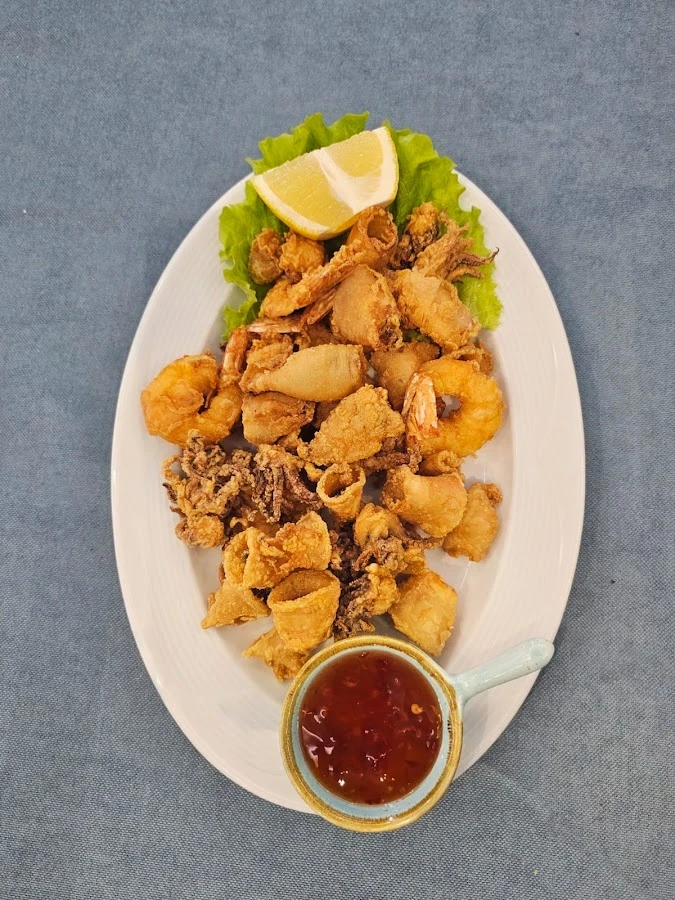 The best restaurants in Kosovo
682 places in 29 cities, with photos, hours and map.
See the restaurants →
 Albanian recipes, step by step
189 recipes with photos, a weekly meal plan and "What can I cook with what I have?".
See the recipes →
 Cocktails and drinks
Classic and alcohol-free cocktails, lemonades, smoothies and hot drinks.
See the drinks →